
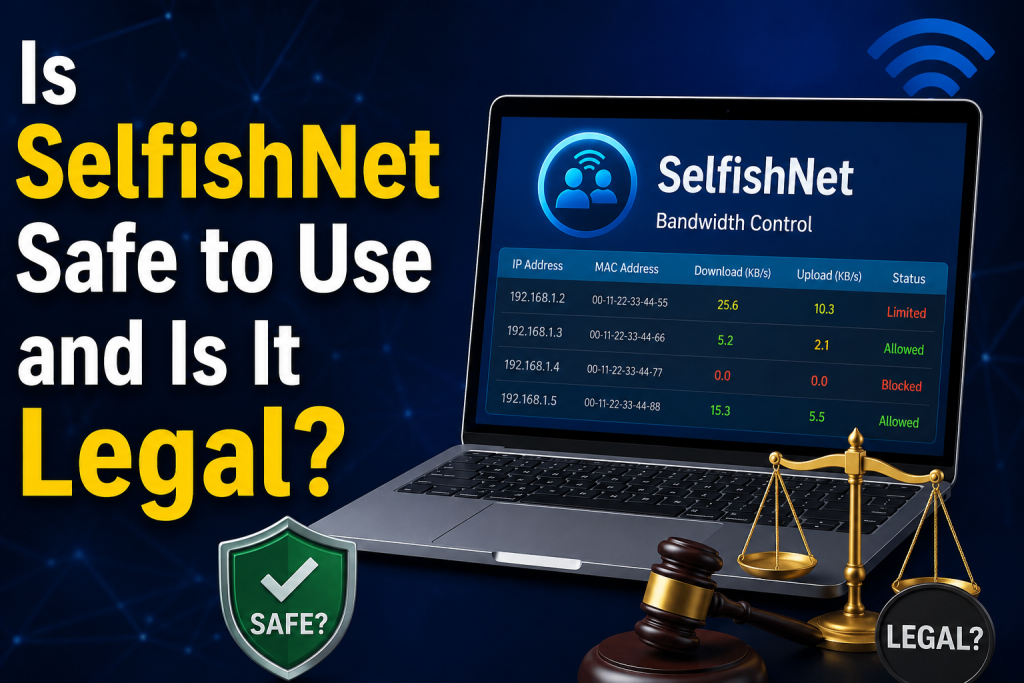
SelfishNet is a popular bandwidth control tool used to monitor connected devices and limit internet speed on a local network. Many users download it to manage Wi-Fi usage at home, but they often wonder whether it is safe and legal. The answer depends on how and where you use it.
SelfishNet can be useful on your own private network, but it may create security, privacy, and legal risks if used without permission. Before installing or running it, users should understand how SelfishNet works, what risks are involved, and when its use may cross legal or ethical limits.
Read More: What is SelfishNet and How Does It Work?
What Is SelfishNet?
SelfishNet is a Windows-based network management tool designed to control bandwidth usage on a local network. It can show connected devices, display their IP and MAC addresses, and allow the user to limit or block internet access for selected devices.
For example, if someone on your home Wi-Fi is downloading large files and slowing down the internet for everyone else, SelfishNet may allow you to reduce that device’s speed.
This makes it attractive for home users, students, small office users, and people who want a quick way to manage shared internet. However, SelfishNet is not a normal router dashboard tool. It works by interacting with local network traffic, and that is where safety and legal concerns begin.
How Does SelfishNet Work?
SelfishNet commonly works by using a network technique related to ARP spoofing or ARP poisoning. In simple words, ARP is a network protocol that helps devices communicate inside the same local network.
When a tool uses ARP spoofing, it can place itself between devices and the router. This can allow it to monitor, limit, or interrupt traffic. While this may be useful for bandwidth control, the same technique is also used in man-in-the-middle attacks.
That does not automatically mean SelfishNet is malware, but it does mean the tool must be used carefully. Any software that can interfere with network traffic should be treated seriously.
Is SelfishNet Safe to Use?
SelfishNet may be safe only if you download it from a trusted source and use it on a network you own or manage. However, there are several risks you should know.
First, many SelfishNet download links online are unofficial. Because the tool is old and widely shared, fake versions may exist. Some websites may bundle it with unwanted programs, adware, or malware. Downloading a random SelfishNet file from an unknown site can put your computer at risk.
Second, SelfishNet may trigger antivirus warnings. This can happen because the tool performs network-level actions similar to hacking or interception tools. A warning does not always mean the file is dangerous, but it should never be ignored.
Third, using SelfishNet incorrectly can disrupt your network. It may slow down devices, disconnect users, or cause connection problems. In some cases, your own internet connection may become unstable until the tool is closed or the router is restarted.
Fourth, because SelfishNet may interact with network traffic, it creates privacy concerns. You should never use it to spy on other users, capture private information, or interfere with devices that you do not own.
So, is SelfishNet safe? It can be safe for basic bandwidth testing on your own network, but it is not risk-free. Only use it if you understand what it does and have full permission to manage the network.
Is SelfishNet Legal?
The legality of SelfishNet depends on where and how you use it.
Using SelfishNet on your own home Wi-Fi network is generally less risky, especially if you are the network owner and you are only managing your own devices or family devices with permission. For example, limiting your own laptop, phone, or smart TV is usually considered normal network administration.
However, using SelfishNet on someone else’s Wi-Fi network, public Wi-Fi, school Wi-Fi, office Wi-Fi, hostel Wi-Fi, or a neighbor’s network can be illegal. If you use it to block users, slow their internet, intercept traffic, or interfere with network services without permission, you may violate cybercrime or computer misuse laws.
In many countries, unauthorized access, traffic interception, network disruption, and denial of service actions can have serious legal consequences. Even if your goal is only to “test” the tool, using it on a network you do not own can still create problems.
The safest rule is simple:
Use SelfishNet only on networks you own or where you have clear permission from the owner or administrator.
When Is SelfishNet Acceptable to Use?
SelfishNet may be acceptable in situations like these:
You are using it on your own home network.
- You are testing it in a private lab environment.
- You have written or clear permission from the network owner.
- You are using it only for bandwidth management, not spying or attacking.
- You are not collecting private data from other users.
- You are not disrupting public, school, office, or business networks.
For example, if you own the Wi-Fi router at home and want to limit your own devices during testing, that is very different from using SelfishNet in a school computer lab or public café.
When Should You Avoid Using SelfishNet?
You should avoid using SelfishNet if you are connected to a network that does not belong to you. This includes public Wi-Fi, university networks, office networks, hotels, airports, libraries, and shared apartment networks where you are not the administrator.
You should also avoid using it to disconnect other users, slow down someone else’s internet, capture traffic, bypass router settings, or prove a point in a shared network. These actions can be considered harmful and may get you banned from the network or reported.
Even on your own network, avoid using SelfishNet if you do not understand the risks. A safer option is usually available through your router settings.
Safer Alternatives to SelfishNet
If your goal is to manage bandwidth, you may not need SelfishNet at all. Most modern routers include built-in features that are safer and more reliable.
You can use router settings such as:
- Quality of Service, also known as QoS.
- Parental controls.
- Device blocking.
- Guest Wi-Fi.
- Bandwidth limits.
- Access schedules.
- MAC address filtering.
These options are safer because they work directly through the router instead of interfering with local network traffic. They are also more stable and less likely to trigger security warnings.
For home users, router-based bandwidth control is usually the best option. For businesses, schools, and offices, proper network management tools should be used instead of unofficial bandwidth limiting software.
How to Use SelfishNet More Safely
- If you still decide to use SelfishNet, follow basic safety rules.
- Download it only from a trusted source.
- Scan the file with antivirus software before opening it.
- Do not disable your antivirus permanently.
- Use it only on your own network.
- Do not use it on public or shared networks.
- Do not capture or misuse anyone’s private data.
- Close the tool when you are finished.
- Restart your router if the network becomes unstable.
Also, make sure you understand your local laws. Rules about network monitoring and traffic control vary by country, so it is better to stay on the safe side.
Conclusion
SelfishNet is not automatically illegal or unsafe, but it can become risky depending on how you use it.
It may be safe when used carefully on your own private network for basic bandwidth control. However, it can be unsafe if downloaded from untrusted sources or used without understanding how it affects network traffic.
Legally, SelfishNet should only be used on networks you own or manage with permission. Using it on someone else’s network, public Wi-Fi, school Wi-Fi, or office Wi-Fi without approval can create serious legal and ethical problems.
For most users, the best option is to use your router’s built-in bandwidth control, QoS, or parental control features. These tools are safer, easier to manage, and more appropriate for everyday internet control.
In short: SelfishNet can be useful, but only use it responsibly, legally, and on networks where you have full permission.