
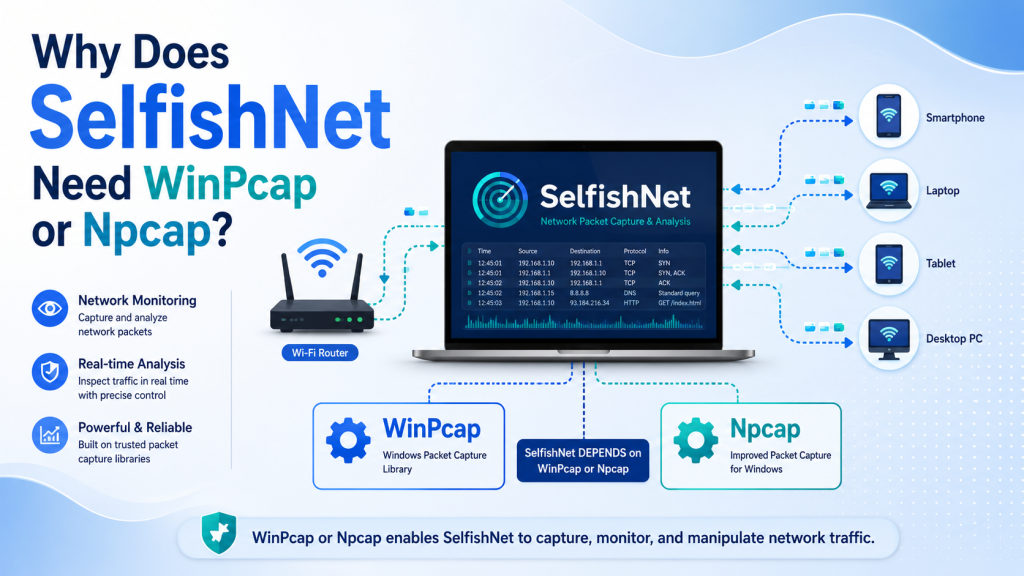
SelfishNet is a popular Windows tool used to monitor devices on a local network and control how much bandwidth each device can use. But many users notice one important requirement before running it properly: SelfishNet needs WinPcap or Npcap installed on the computer.
This may sound confusing at first, especially if you are not familiar with network drivers or packet capture tools. The simple answer is that SelfishNet cannot directly read and manage network traffic by itself. It needs a packet capture driver like WinPcap or Npcap to communicate with the network adapter and detect devices connected to the same network.
Read More: Does SelfishNet Work on Windows 10 and Windows 11?
What Is WinPcap?
WinPcap is an older packet capture library for Windows. It allows network tools to capture, read, and send network packets through the computer’s network adapter.
In simple terms, WinPcap works like a bridge between SelfishNet and your network card. Without this bridge, SelfishNet cannot properly scan devices, read traffic, or apply bandwidth control functions.
Older versions of SelfishNet were commonly used with WinPcap because it was the standard packet capture driver for Windows at that time.
What Is Npcap?
Npcap is the modern replacement for WinPcap. It is developed by the Nmap Project and is designed for newer Windows versions such as Windows 10 and Windows 11.
Npcap performs the same basic job as WinPcap, but it is more secure, more updated, and better supported on modern systems. It also includes a WinPcap-compatible mode, which helps older applications work with Npcap as if WinPcap were installed.
For most users today, Npcap is usually the better choice because WinPcap is outdated and may not work smoothly on newer Windows versions.
Why Does SelfishNet Need WinPcap or Npcap?
SelfishNet needs WinPcap or Npcap because it has to interact with network packets at a low level. Normal Windows apps cannot directly capture or control network packets without a special driver.
Here are the main reasons SelfishNet requires WinPcap or Npcap:
To Detect Devices on the Network
SelfishNet needs to scan your local network and find connected devices such as phones, laptops, tablets, and PCs.
To do this, it must read network information passing through your network adapter. WinPcap or Npcap gives SelfishNet access to this network-level data.
Without WinPcap or Npcap, SelfishNet may fail to show connected devices or may display incomplete results.
To Capture Network Packets
A network packet is a small piece of data moving across your network. Every website visit, video stream, download, and app connection is made up of packets.
SelfishNet uses packet capture to understand which devices are communicating on the network. WinPcap or Npcap allows SelfishNet to capture these packets and analyze network activity.
This is one of the most important reasons the driver is required.
To Monitor Bandwidth Usage
SelfishNet is often used to check how much bandwidth each device is using. To estimate this usage, it needs to observe traffic flowing through the network.
WinPcap or Npcap helps SelfishNet read packet data, identify devices, and calculate traffic activity. Without a packet capture driver, SelfishNet cannot accurately monitor network usage.
To Send Network Packets
SelfishNet does not only read network traffic. In some cases, it also needs to send specific packets to perform its functions.
Npcap and WinPcap allow applications to send raw network packets. This is important because SelfishNet depends on low-level network communication to manage devices on the local network.
To Work With the Network Adapter
Your network adapter is the hardware that connects your computer to Wi-Fi or Ethernet. Windows normally protects direct access to this hardware for security reasons.
WinPcap or Npcap installs a driver that allows approved network tools to communicate with the network adapter at a deeper level.
This is why SelfishNet usually requires administrator permission and a packet capture driver to work correctly.
What Happens If WinPcap or Npcap Is Not Installed?
If WinPcap or Npcap is missing, SelfishNet may not work properly. You may face issues such as:
- SelfishNet does not open correctly
- No network adapter appears
- Connected devices are not detected
- Bandwidth control does not work
- Errors related to missing packet capture files
- The app freezes or shows empty results
In many cases, installing Npcap or WinPcap fixes these problems.
Which One Should You Use: WinPcap or Npcap?
For modern Windows systems, Npcap is recommended.
WinPcap is old and no longer the best option for Windows 10 or Windows 11. Npcap is newer, actively maintained, and designed to work better with current Windows versions.
However, when installing Npcap for SelfishNet, make sure to enable the option:
“Install Npcap in WinPcap API-compatible Mode”
This option is important because many older network tools were built for WinPcap. Compatibility mode allows those tools to work with Npcap without needing major changes.
Is Npcap Safe to Install?
Npcap is widely used by trusted network tools such as Nmap and Wireshark. It is a legitimate packet capture driver.
However, because it gives applications deeper access to network traffic, you should only download it from the official source and only use it with tools you trust.
Avoid downloading random WinPcap, Npcap, or DLL files from unknown websites because they may contain malware or unwanted software.
Why SelfishNet Cannot Work Like a Normal App
Most normal Windows apps only use standard internet access. For example, a browser sends and receives data, but it does not need to inspect all network packets from other devices.
SelfishNet is different. It works at a deeper network level. It needs to detect devices, read packet information, monitor bandwidth, and communicate with the network adapter.
That is why a normal installation is not enough. SelfishNet needs a packet capture driver like WinPcap or Npcap to perform its main features.
Common SelfishNet Errors Related to WinPcap or Npcap
Users may see different issues when the packet capture driver is missing or not installed correctly. Common problems include:
SelfishNet Not Detecting Devices
This usually happens when the packet capture driver is missing, outdated, or not working with your network adapter.
No Network Interface Found
SelfishNet needs access to your Wi-Fi or Ethernet adapter. If WinPcap or Npcap is not installed properly, the adapter list may appear empty.
Wpcap.dll Missing Error
This error means the required WinPcap-compatible file is missing. Installing Npcap with WinPcap-compatible mode can often solve this issue.
SelfishNet Opens But Does Not Work
Sometimes SelfishNet may open, but scanning or bandwidth control does not work. This can happen if the packet capture driver is installed incorrectly or if the app is not running as administrator.
Basic Tips to Make SelfishNet Work Properly
To avoid common problems, follow these simple tips:
- Use Npcap instead of old WinPcap on Windows 10 or Windows 11
- Enable WinPcap-compatible mode during Npcap installation
- Run SelfishNet as administrator
- Choose the correct network adapter inside SelfishNet
- Avoid using SelfishNet on public or unauthorized networks
- Restart your computer after installing Npcap
- Download packet capture drivers only from official or trusted sources
Important Safety and Legal Note
SelfishNet should only be used on networks you own or have permission to manage. Controlling, blocking, or interfering with other people’s network connections without permission may be illegal or against network policies.
If you are using SelfishNet at home, use it responsibly to manage your own Wi-Fi network. If you are on a school, office, hotel, or public network, do not use it without clear authorization.
Conclusion
SelfishNet needs WinPcap or Npcap because it depends on low-level network access. These packet capture drivers allow SelfishNet to detect connected devices, monitor traffic, read packets, and communicate with the network adapter.
For older systems, WinPcap may work, but for modern Windows versions, Npcap is usually the better option. Just remember to install Npcap with WinPcap-compatible mode enabled so SelfishNet can recognize it properly.
In simple words, WinPcap or Npcap is the engine that helps SelfishNet see and manage network traffic. Without it, SelfishNet cannot perform its main functions correctly.